
Best Energy Efficient Fans That Won’t Blow Your Budget Away
When it gets hot, fans become our best friends. They move air around, help us keep cool, and save us from the dreaded sweaty back.
But electricity bills? Not so friendly. That’s where energy efficient fans come in.
These fans give us the breeze we need without running up costs or making us rethink that extra scoop of ice cream. There are so many types—tower, box, ceiling, desk—that picking the right one can feel like a pop quiz we never studied for.
Some are better for small rooms, others for big ones, and a few just look way cooler. When shopping, focus on wattage, how much air it moves (that’s CFM—cubic feet per minute if you want to sound smart), and how easy it is to clean.
Size, speed settings, and noise levels matter too. Nobody wants a fan that sounds like a jet engine mid-nap.
We tested a bunch of fans (so you don’t have to sweat the details) to find which energy efficient models actually deliver a cool breeze without blowing your budget.
Best Energy Efficient Fans
Let’s save a few bucks on our electric bill without breaking a sweat. We’ve rounded up the top energy efficient fans for anyone who loves a cool breeze and hates extra charges.
Check out our favorites below and let’s keep things chill—literally.
Dreo Nomad One Tower Fan

If we want a fan that cools quick, runs quietly, and doesn’t hog the spotlight in our living room, this one is hard to beat.
Pros
- Noise level is so low we can actually hear ourselves think.
- Remote and control panel make us feel fancy.
- Easy to move wherever we need some breeze.
Cons
- Assembly is needed (but at least we get a sense of accomplishment).
- Remote is tiny—easy to misplace if we’re not careful.
- The display light could double as a nightlight (not always a plus).
We all know the struggle of a hot room and a fan that sounds like a jet engine taking off. Dreo’s Nomad One Tower Fan is refreshingly different—when we tested it, we could barely hear it spinning, even at higher settings.
Sleeping with it on didn’t make us feel like we were bunking at an airport. That 28dB noise rating feels real.
Switching between speeds and modes is a breeze. The remote fits perfectly in the built-in storage, and the buttons are smooth, so we’re not fumbling around in the dark.
Modes for sleep, natural wind, and auto feel like we’re spoiling ourselves… without spiking our energy bill. The tower is slim, so it slots neatly between the couch and TV stand, ready to save us from sticky movie marathons.
Putting it together gave us a mild workout. It wasn’t hard, just a reminder that “some assembly required” is a real thing.
We’re also on constant watch for that tiny remote; it’s the perfect size for hiding under couch cushions. If it glows when we wake up at night, that’s just the fan letting us know it’s ready to serve.
Amazon Basics 16″ Pedestal Fan

We should grab this fan if we want cool air without high energy bills, a quiet motor, and a blessedly simple remote.
Pros
- Quiet blades barely disrupt our TV time
- Remote control means less time getting up (thank you, technology)
- Uses low energy, so our electric bill won’t terrify us
Cons
- Needs a bit of patience to assemble the first time
- Plastic build feels a bit lightweight compared to pricier fans
- After a few years of heavy use, it may need replacing
This Amazon Basics pedestal fan is so quiet we could almost forget it’s working—until a stray paper blows off the desk, of course. The three speeds make it easy for us to find that sweet spot, whether we need a gentle breeze or we’re melting after a workout.
Since it comes with a remote, adjusting the speed or the timer doesn’t mean moving from our favorite couch position. We set it up, put the remote nearby, and instantly felt fancy.
The oscillation covers more area than our childhood box fans ever could, and the adjustable height actually fits behind the couch and in the corner of our home office. Once we got past the setup—which, let’s be honest, required a small snack break—the fan ran smoothly.
The lightweight plastic may not feel as sturdy as grandpa’s old metal fan, but it definitely survived daily use (even with kids around). The biggest perk has to be the low energy use.
We kept ours running during a Florida heatwave, and our bill barely sighed.
Vornado 133DC Compact Fan

If we want to keep our room cool without burning through cash on the electric bill, this fan really hits the spot.
Pros
- Whisper-quiet even when we crank it up a bit
- Surprising power packed into a tiny frame
- Infinite speed control feels fancy
Cons
- Gets a tad noisy at max speed
- Only tilts, doesn’t oscillate
- Built for U.S. outlets—international friends, beware
As soon as we plugged in the Vornado 133DC, we noticed how easy it was to dial in just the right airflow. The variable speed knob lets us go from a gentle breeze to “blow the napkins away” gusts.
Our desk never felt more comfortable, and we didn’t have to shout over fan noise, either. At its lowest, this thing is so quiet we had to check if it was even working.
It’s lightweight, so moving it from our home office to the bedroom was no trouble at all. The compact size makes it blend in without looking like a satellite dish in the middle of the room.
We also appreciate the sturdy build—for something mostly plastic, it doesn’t feel flimsy when we adjust the head or move it around. If we push it to its loudest setting, it definitely lets us know it’s working, and we’d love for it to have a side-to-side swivel.
Plus, if any of us decide to ship it overseas or use it in another country, we’ll have to face the disappointment of a fan that simply won’t work. Still, for energy savings and personal comfort, it’s hard to beat the Vornado 133DC Compact Fan.
Honeywell TurboForce HT-900 Fan

If we’re serious about blowing hot air out of our rooms (or at least pretending we have wind power at our fingertips), this little Honeywell is a strong contender.
Pros
- Small enough to fit anywhere, but still packs a punch
- Whisper-quiet on lower settings—unless we crank it to tornado mode
- Wall-mount option spares desk space for our snacks
Cons
- Not ideal for large rooms or pretending we’re skydiving indoors
- Plastic feels a bit light, so no using it as a doorstop
- On highest speed, it hums louder than our neighbor’s lawnmower at 6 a.m.
Right out of the box, the Honeywell TurboForce made us wonder how so much power fit into such a compact fan. Moving it from our desk to the bedroom was a breeze (pun intended), and we loved being able to tilt the head up or down, depending on whether we wanted cool air on our faces or aimed straight at our feet.
The wall-mount option is a real bonus for those of us who always seem to run out of table space—say goodbye to clutter. Using it on the low and medium settings, we noticed it was quieter than our computers, and the airflow reached across the room better than expected.
For a fan that weighs less than a bag of apples, the TurboForce delivers impressive comfort, and we found no trouble sleeping with it running next to the bed. On high speed, it gets a bit louder—so maybe set it away from our Zoom call zone.
While we can’t claim it will cool off a big living room, in our small office and bedroom setup, it’s almost too effective—family members keep “borrowing” it. The fan doesn’t scream luxury, but for the price, it outperforms many others we’ve tried.
Our only gripe is the plastic feels flimsy, so don’t let the pets knock it off the shelf! If we had to bet on a trusty, energy-efficient desk buddy, the Honeywell TurboForce HT-900 Fan would get our vote (and maybe a seat at the lunch table).
Amazon Basics Desk Air Circulator

If we want a compact, no-nonsense fan that works surprisingly well without burning a hole in our wallets (or our electric bills), this little Amazon Basics is an easy yes.
Pros
- Moves more air than most fans its size—we’re still surprised
- Barely takes up any desk or table space, so no clutter battles
- Carries easily with one hand, so it doesn’t feel like gym equipment
Cons
- Lacks remote control, so we can’t be lazy couch commanders
- No oscillation feature—air doesn’t sweep the room while we nap
- Highest speed isn’t hurricane-level, but it’s definitely breezy
Let’s be honest, sometimes all we want is a fan that just works. We plugged in this Amazon Basics Desk Air Circulator and it started chugging along like a tiny champion.
The airflow is pretty impressive for something we could mistake for a speaker—nice for cozy corners or even a stuffy bedroom. Our favorite part is the 90-degree tilt.
One minute it’s cooling our face, next it’s clearing the dog’s nap spot. At three pounds, it’s so light that we almost took it with us by accident when leaving the room—no more dragging heavy fans.
We don’t miss the complicated controls at all. The simple dial and three speeds mean we spend about two seconds learning how to use it.
Between the energy savings and the small size, it’s now found a permanent spot in our homes. Shame about the missing remote though; now we have to get up to change the settings—what is this, 1995?
Dreo Cruiser Pro T2 Tower Fan

If you want to stay cool without waking up the whole house—or the cat—this fan gets the job done and actually looks good.
Pros
- Super quiet even at high speeds (you can hear yourself snacking).
- Moves a lot of air fast—perfect for sticky summer days.
- Handy remote and display let you adjust settings from the couch.
Cons
- The remote has no backlight, so nighttime adjustments become a game of “Guess That Button.”
- Assembling the base takes some patience and maybe a few muttered words.
- Wind opening isn’t as wide as expected, so airflow feels a bit focused.
We tried the Dreo Cruiser Pro T2 on a humid June night, and our living room finally felt less like a sauna. With nine speed settings and four cooling modes, there’s always an option—even if you just want to blast arctic wind at level 9.
The quiet is unreal. Seriously, it’s so silent that sometimes we checked if it was actually on, especially at the lowest settings.
Sleep mode dims the lights and goes whisper-soft, so you won’t get a light show or fan roar during midnight snack runs.
Picking the right button on the remote in the dark is basically a skill (that some of us lack). Snapping the base together was trickier than we hoped, but at least it didn’t require a PhD.
For cooling efficiency with a sleek look, the Dreo Cruiser Pro T2 holds its own in the battle against heat and humidity.
Lasko Wind Machine Fan

If you want a fan that actually moves air and won’t double your electric bill, this is the one we’d put in every room—if only the outlets could keep up.
Pros
- Strong airflow cools big spaces fast.
- Makes less noise than we expected.
- Big handle makes it easy to lug around.
Cons
- Not exactly a looker—pretty basic style.
- Takes up more floor space than slim fans.
- Even the lowest speed packs quite a breeze.
Our living room felt like it could host a windsurfing class, thanks to the Lasko Wind Machine Fan. We’ve tried plenty of fans that just shuffle air lazily, but this one isn’t shy about pushing some serious air, even on the lowest setting.
It makes stuffy summer days survivable again, and we can still hear the TV without subtitles. That’s a win.
The tough plastic body is sturdy, and the handle is super practical when we move it from bedroom to workspace.
Three speeds cover all the bases, but honestly, the first is already pretty breezy. It’s not tiny, so if you’re tight on space, you’ll need to clear a spot.
It comes fully assembled, which means more chilling, less wrestling with parts.
Our only real beef is the style—form definitely follows function here. But if you care more about feeling cool than impressing guests, this fan’s a workhorse.
We’ve let it run for days, and it hasn’t given us any trouble—not even a suspicious rattle. If the dog refuses to leave the cool spot in front of it, you know it’s working.
Vornado STRATA 8T Table Fan
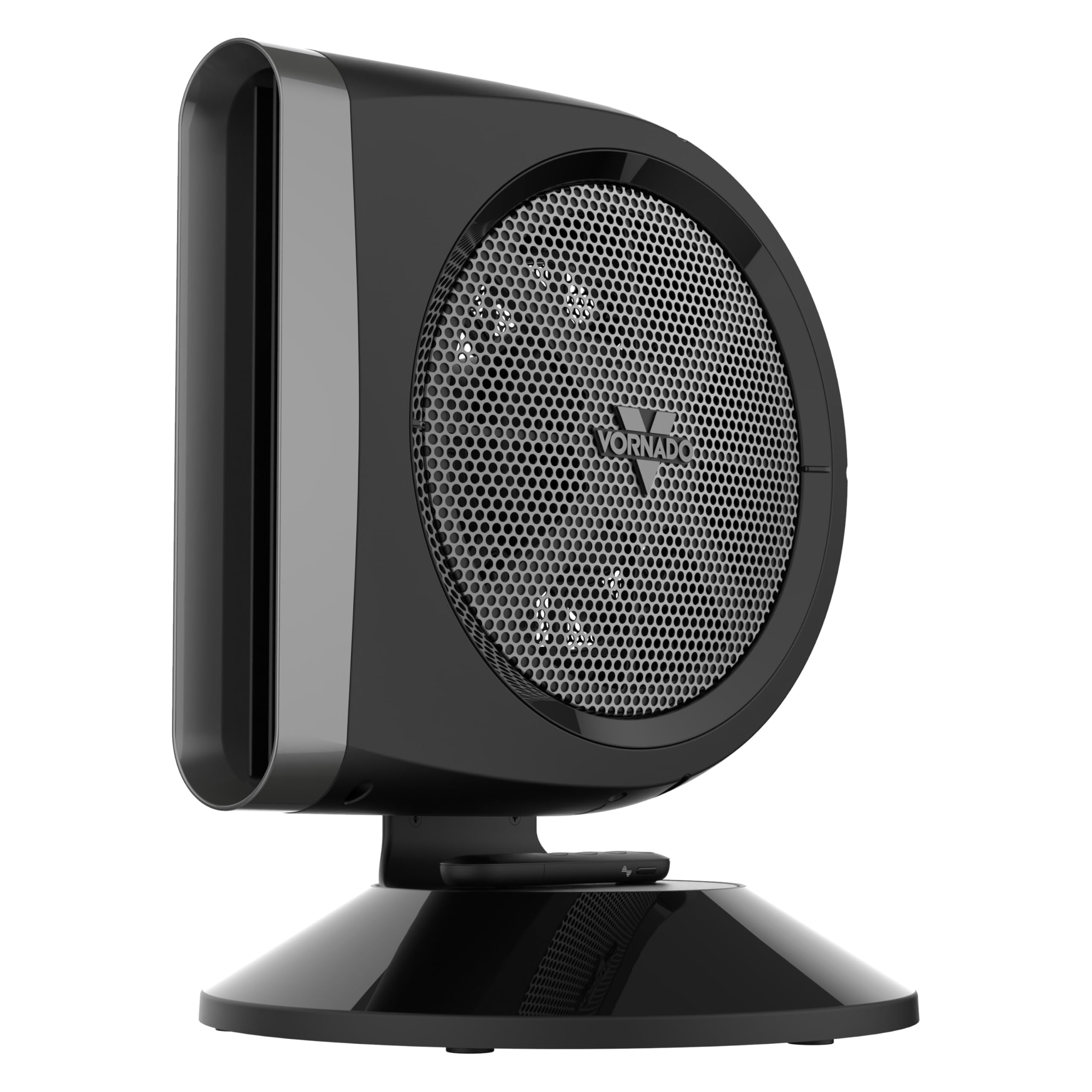
We’d pick this fan if saving energy matters and we don’t want to dread the electric bill.
Pros
- Whisper-quiet on low, so there’s no shouting over the breeze.
- Energy-saving DC motor keeps things cool (and our wallet happy).
- Handy remote means we can adjust settings from the couch.
Cons
- Not the cheapest fan around.
- Smaller size won’t cool the whole room.
- Assembly required—the screwdriver isn’t just for show.
We’ve all suffered through that one noisy fan that sounds like a plane trying—and failing—to take off in the living room. With the STRATA 8T, those days are over.
It’s shockingly silent, especially at lower speeds. Even when we cranked it up, the sound never interrupted our calls or Netflix marathons.
Breeze Mode is so relaxing, we joked that Mother Nature started working part-time in our office. The adjustable tilt kept us from freezing our ankles (sorry, socks).
Ten different speeds sound excessive until you realize how nice it is to have that much control—especially when the weather can’t make up its mind.
Assembly took a bit of effort, and we briefly wished we could bribe the fan with snacks instead. The remote makes us feel fancy, but the smaller size means it’s best for a desk, nightstand, or lonely kitchen counter.
If you want an energy-efficient fan that doesn’t sound like a wind tunnel, the Vornado STRATA 8T really delivers—for a price.
Dreo Smart Tower Fan

If you love the idea of a cool breeze without your electric bill getting scarier, this smart tower fan deserves a spot on your list.
Pros
- Easily cools the whole room without loud noise.
- Control it from anywhere with the app and voice assistants.
- Sleek bladeless design—modern and safe for pets and kids.
Cons
- WiFi can be glitchy and disconnect sometimes.
- It’s not an air conditioner—just a smart fan, so don’t expect icy blasts.
- Price is a bit high for just a fan.
Taking it out of the box, we noticed how modern it looks—finally, a fan that doesn’t seem like it’s from the last century.
Controls are a breeze (pun intended), and setting it up with Alexa took just a minute. Our living room went from stuffy to comfortable before we finished a popsicle.
We tried it while trying to sleep and were honestly shocked at how quiet it runs. Whisper-quiet, really—so the only thing waking us up was the cat’s snoring.
Switching modes gives us flexibility, and auto mode makes it feel like we’ve got our own high-tech butler, adjusting the fan as needed.
Using the Dreo app, we actually had fun turning the fan on and off from across the house. The WiFi can be moody and make us reconnect sometimes, which isn’t ideal after a long day.
The wide oscillation means nobody has to fight over the cool spot, and the bladeless design is a relief for accident-prone households. It’s the kind of fan we’d buy again—assuming we don’t blow away.
Honeywell Quiet Set Tower Fan

If you want a fan that’s both quiet and brings a cool breeze without stealing the show, this one’s tough to beat.
Pros
- Runs quietly, even when cranked up.
- Remote control saves you trips across the room.
- Adjustable brightness is kind to sleepy eyes at night.
Cons
- Assembly isn’t exactly a breeze.
- Base could be more stable, if we’re being picky.
- Slight clicking noise at certain speeds.
The first thing we noticed after setting up the Honeywell Quiet Set Tower Fan was how calm the space felt—even on the highest setting, it sounded more like polite library whispers than a jet engine.
Once we figured out the assembly (maybe argued over the lock ring for 10 minutes), the fan cooled the living room without making itself the main event—unless we wanted to show off the “fancy remote.”
Having five speed settings is a lifesaver for indecisive folks who can’t settle on just “high” or “low.” Our favorite ritual? Setting the fan to auto-dim the display at bedtime so we don’t have to shield our tired eyes from a mini light show.
The touch controls feel modern, and the remote means we can finally control the climate from across the couch like royalty.
It’s not flawless, though. Wrestling the base together was more work than we hoped, and there’s an occasional tiny click when the fan oscillates at a certain speed—enough to make us look up, but not enough to start a fan mutiny.
If quiet, adjustable cooling and energy efficiency matter more than a perfectly smooth assembly, the Honeywell Quiet Set Tower Fan absolutely deserves a spot in the living room.
Buying Guide
Let’s be real: nobody wants a fan that sounds like a jet engine or eats up the whole paycheck in electric bills.
When you’re shopping for an energy efficient fan, focus on key features that make life easier (and breezier).
Blade Size & Number: Bigger isn’t always better—except when it is. More blades can mean quieter operation but usually push less air. Fewer blades might be noisier, but they tend to move air better. What’s your priority?
Fan Type Matters: There are ceiling, tower, pedestal, and desk fans. Think about your room size and how much space you want to give up to a spinning machine.
Energy Ratings: Check the energy efficiency rating. Look for certifications and lower wattage, so your bills don’t look scarier than a horror film.
Noise Level: Want to sleep or work without being serenaded by a loud hum? Check the decibel ratings in the specs.
Features & Controls: A remote, timer, or variable speed settings are handy. Pressing a button beats getting up just to change the breeze.
| Feature | Why It Matters |
|---|---|
| Blade Design | Impacts airflow and noise |
| Speed Settings | Controls comfort levels |
| Wattage | Affects energy use |
| Timer/Remote | Adds convenience |
| Noise Level | Ensures peaceful use |
Making a smart choice is about balancing these details—because honestly, who wants a fan that blows away the electricity budget?
Frequently Asked Questions
Energy efficient fans can cool your space, help you save money, and spare you from the roar of a small plane in the living room. Let’s answer the questions that keep us up at night (besides the heat).
How can we keep our room cool without breaking the bank on our energy bill?
We can use fans instead of running the AC all day. Set the fan to spin counterclockwise during summer to move cool air around—it’s easy on our wallets.
Put a fan near an open window at night to pull in cooler air. Simple tricks and smart placement can make a big difference.
What’s the deal with floor fans versus ceiling fans in the energy-saving Olympics?
Floor fans and ceiling fans both use way less power than most ACs. Ceiling fans spread air around the whole room.
Floor fans blast air right where we want it, like straight at us after mowing the lawn. Both options help us save on bills without sweating buckets.
Which fan will give us a breezy experience while keeping our wallet happy?
If we want to feel fancy and frugal, we should look for fans with the ENERGY STAR label. Those fans sip power instead of chugging it.
Tower and pedestal fans are popular picks. Plenty of models let us adjust the speed, so we stay cool and keep costs in check.
Are there any fans out there that won’t sound like a jet engine but still have the oomph?
Absolutely, there are plenty. Many energy-efficient fans run quietly and still cool well, even on high speed.
Check the decibel ratings in the product details. Fans with brushless motors usually hum along quietly, so we won’t hear a loud “whoosh” every time we flip the switch.
In the epic quest for chill, what fans boast the best combo of cool air and cool costs?
Some of the best options are DC-motor ceiling fans. They use less energy and make less noise.
Tower fans with multiple speed settings also get the job done without emptying our pockets. Checking reviews can help us spot fans that keep running costs low and keep us feeling fresh.
Can a fan really mimic an AC, or is that just a cool breeze of a lie?
Fans push air around, which helps us feel cooler by speeding up how fast sweat evaporates. But honestly, they don’t actually drop the room’s temperature like an air conditioner does.
If you use fans smartly, they can help you feel comfortable enough to crank the AC up a few degrees or sometimes even skip it. That’s one way to keep the electric bill from getting too wild.